Troubleshooting GSM Mobile Starters: Step-by-Step Guide to Fix Common Problems
GSM mobile starters have revolutionized the way farmers, industries, and pump operators control motors remotely. But like any electrical equipment, they can run into issues – from network signal drops to the motor not starting. In this troubleshooting guide, we’ll walk you through the most common problems with GSM mobile starters and how to fix them quickly.
1. Motor Not Starting When Command is Sent
Possible Causes:
- No power supply to the starter
- Overload protection triggered
- Dry run protection shuts down the pump (learn how dry run protection works)
- Loose wiring or a faulty contactor
Solution: Check the incoming power supply, reset the overload relay, and verify sensor calibration. If the issue is wiring-related, follow safe procedures as explained in our installation guide.
2. GSM Starter Not Responding to SMS or App Commands
Possible Causes:
- Poor network coverage at the pump site
- SIM card plan expired or low balance
- Incorrect command format
- Faulty GSM module
Solution: Test the SIM card in a mobile phone to verify the network. Use an external antenna for a better signal. Ensure your SIM plan is active – we recommend low-cost IoT or M2M SIM cards. For pumps in remote areas, see our upcoming guide on Mobile Starters for Low Network Coverage.
3. False Dry Run Trips
Possible Causes:
- The sensor is dirty or malfunctioning
- Delay timer too short
- Voltage fluctuations are causing a current drop
Solution: Clean the dry run sensor, increase delay timer settings, and check voltage stability. If false trips persist, consider upgrading to a model from our Best GSM Mobile Starters list.
4. Starter Turns On but Motor Runs Slowly or Overheats
Possible Causes:
- Incorrect phase connection in three-phase systems (three-phase vs single-phase explained)
- Overloaded motor
- Low-voltage supply
Solution: Verify wiring connections, ensure load matches motor capacity, and check voltage. Solar-powered setups should be checked for proper panel output – see our solar-compatible GSM starters guide.
5. Starter Keeps Restarting Automatically
Possible Causes:
- Improper auto-restart settings
- Power fluctuations
- Faulty control board
Solution: Disable auto-restart temporarily to test. If power fluctuations are the cause, install a voltage stabilizer.
Preventive Maintenance Tips
- Clean and inspect wiring every 3–6 months
- Test dry run protection and overload relay regularly
- Use a quality SIM plan with consistent network coverage
- Follow the correct setup procedures (installation guide)
Conclusion
Most GSM mobile starter problems can be fixed with basic checks and maintenance. By following this troubleshooting guide and performing regular upkeep, you can ensure your starter runs reliably for years. For more insights into how these devices work, see our complete guide to GSM mobile starters.
If you’re looking to upgrade or replace a faulty unit, check our buying guide for GSM mobile starters in India or our list of budget GSM starters under ₹5000.
Get Prices from Verified Mobile Starters Sellers Near You
We connect you with trusted and verified sellers near you. Get the best deals, fast and hassle-free!
Popular Products from Verified Sellers
Read Other Posts on Mobile Starters
The Complete Guide to Mobile Starters & GSM Controllers for Farmers
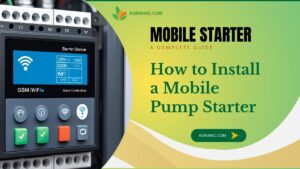
How to Install a Mobile Starter for Your Water Pump – Step-by-Step Guide
How Dry-Run Protection Works in GSM Starters and Why It Saves Motors
Understanding Three-Phase vs Single-Phase Mobile Starters for Agriculture
Solar-Compatible GSM Starters: Setup & Best Practices for Off-Grid Irrigation
Best GSM Mobile Starters for Farmers in 2025 – Features, Pricing & Reviews
Top GSM Starters Under ₹5000 – Budget Picks That Last
Where to Buy GSM Mobile Starters for Your Water Pump in India
Maintenance Guide for GSM Mobile Starters: Keep Your Pump Control System Running Smoothly
GSM vs IoT Mobile Starters: Which Remote Motor Control Technology is Right for You?
Mobile Starters for Agriculture Pumps and Motors: A Complete Guide for Farmers
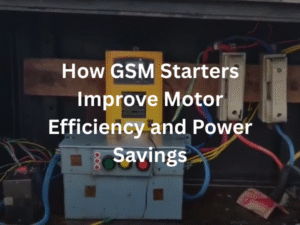
How GSM Starters Improve Motor Efficiency and Power Savings
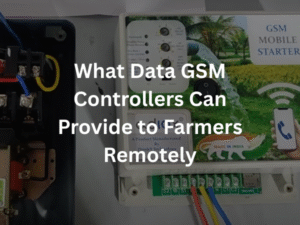
Remote Monitoring: What Data GSM Controllers Can Provide to Farmers

The Future of GSM Starters: 4G, 5G, WiFi, and IoT Integration

Importance of GSM Starters in Dairy Farming & Livestock Watering Systems

Benefits of GSM Starters- Is a GSM Starter Worth It for Small Farmers?

Key Features Every Farmer Should Look for in a Mobile Starter
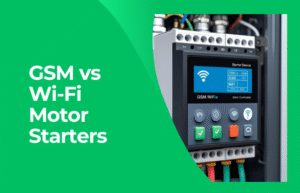
GSM vs Wi-Fi Motor Starters: Which One Should Farmers Choose?
How GSM and IoT Together Are Changing Indian Agriculture
Best SIM Cards & Mobile Networks for GSM Pump Controllers in Rural Area

Remote Pump Automation Without GSM – What Are the Alternatives?

The Role of GSM Controllers in Smart Farming